


Whenever you need to add custom code to your WordPress site, the typical recommendation is to put it in the theme’s functions.php file.
I don’t like doing that as it’s easy to forget to copy-paste that code to the new theme when it’s time for a refresh.
Moreover, if done in that manner, you don’t have the ability to switch on or off certain functions.
The solution for me has been to use a simple plugin.
#1 Code Snippets
Code Snippets is an excellent plugin that lets you create snippets of code as functions that can be switched on or off at will, in the same way as you would with normal plugins.
Simply install the free plugin, create a snippet, paste your custom code, and save it.
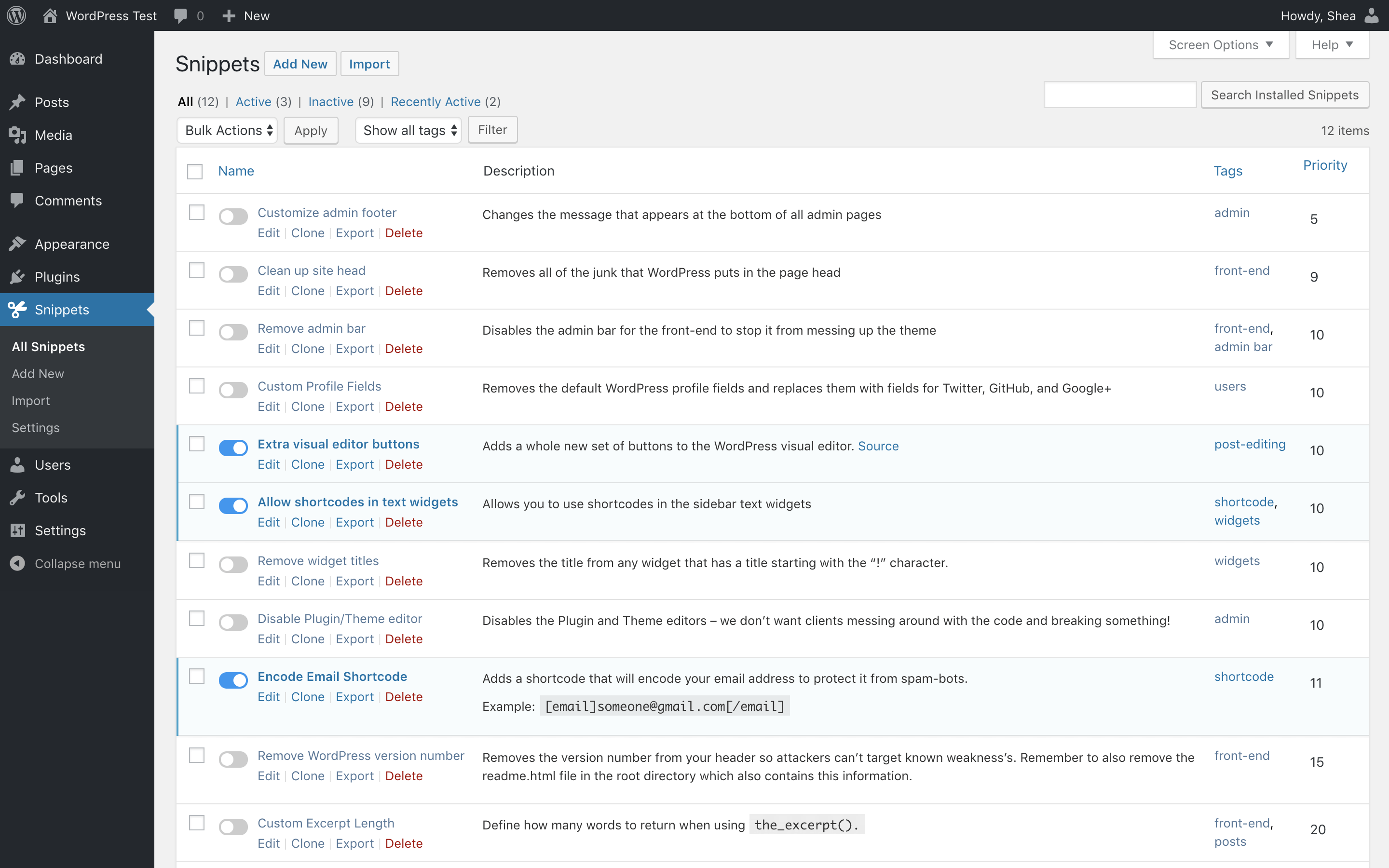
You can then turn on or off any custom code at will without the risk of breaking your site.
#2 Custom Plugin
Alternatively, you can create your own custom plugin that stores your custom code.
In the past, we used to use Pluginception which let you create plugins from within the WordPress dashboard itself, but it hasn’t been updated in a while now.
It was useful when I just wanted to create one plugin to dump all the custom functionality into and have it protected whenever I change themes.
You can still do this by creating your own custom plugin, but if you’re not comfortable with code, go for option #1 and play it safe.




4 Responses
Yes I found no problems with it.
I prefer to keep things organised with the Code Snippets plugin in that case.
Really nice article.. but what aboud code snippets are those lightweight enough?
Aboud Code Snippets, is it lightweight enough? I don’t like to add plugins basically…