



Every few months, someone running a WordPress content site asks me the same question. They have an audience and they have email subscribers, but they want to add a community layer so members can talk to each other. What plugin should they use?
PeepSo keeps coming up in those conversations. Our last full review of it was published two years ago and a lot has changed since then. The pricing has been restructured, the theme story is different, and the bundle structure has been reworked. So this is a fresh look at where PeepSo stands today, what it does well, and where I would be cautious before recommending it to a friend.
I am writing this as someone who runs WordPress products and a publication, not as a PeepSo customer trying to convince you of anything. The goal is a fair review you can actually use to make a decision.
What PeepSo Does and Who It’s For
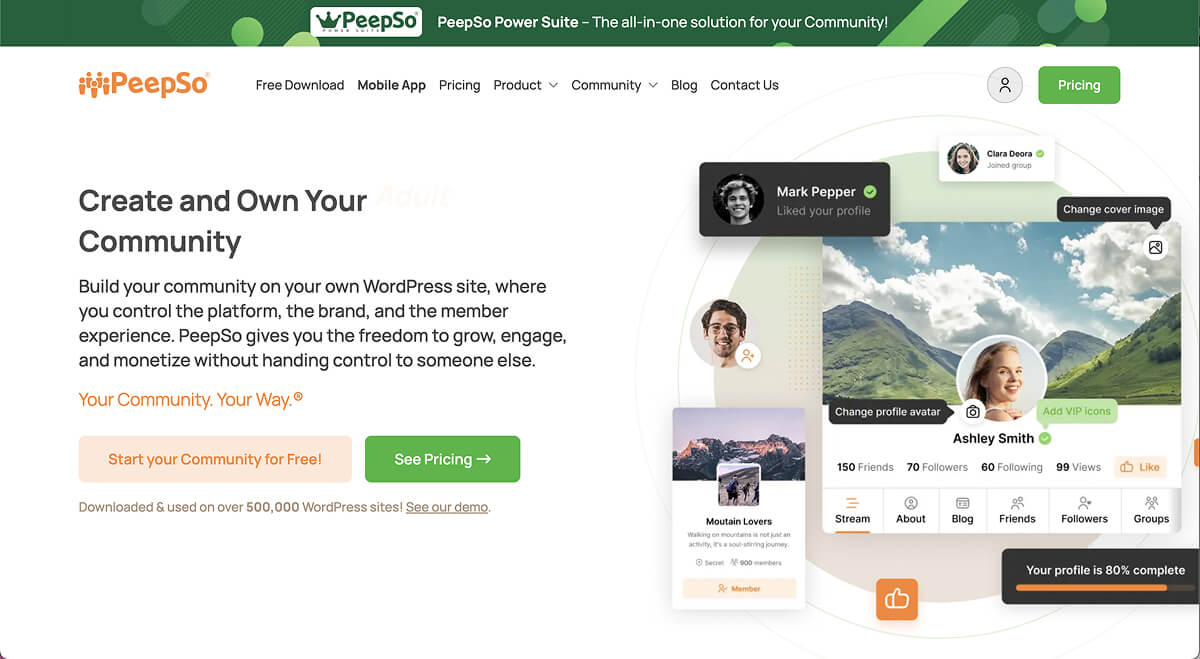
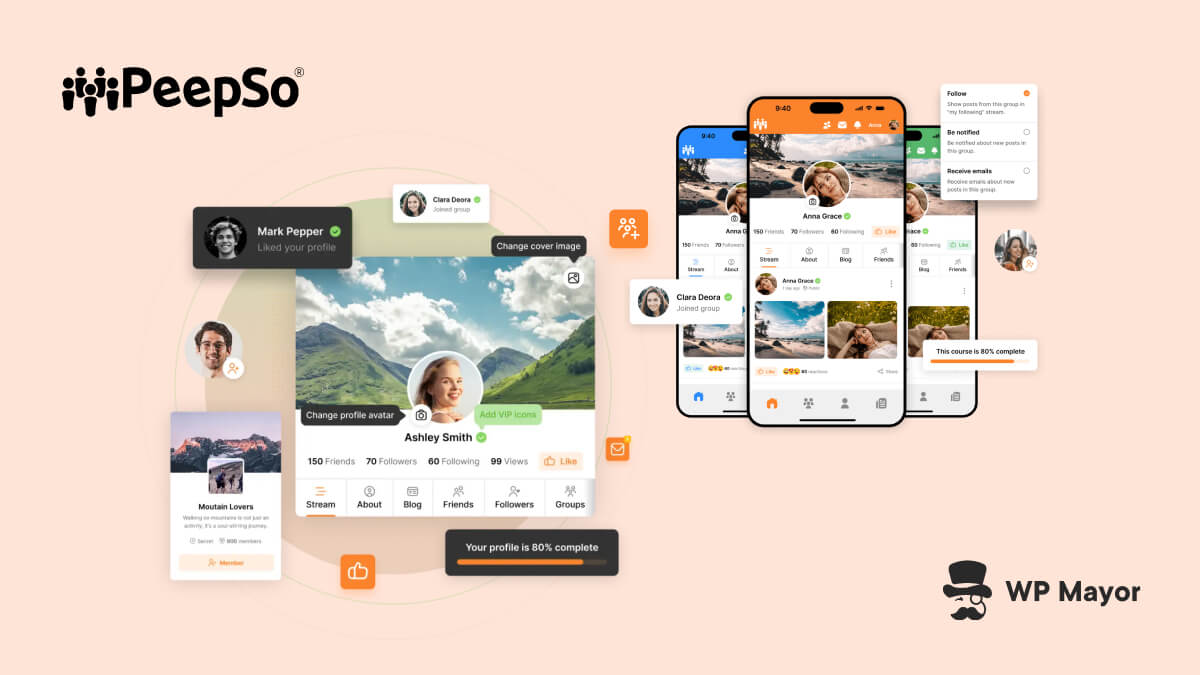
PeepSo turns a WordPress site into a community platform. Profiles, activity streams, groups, private messaging, photo albums, video uploads, notifications, and moderation tools. The full stack of features you would expect from something resembling a self-hosted Facebook, but built natively on WordPress.
The clearest fit is anyone who already has an audience and wants to deepen the relationship. Think course creators using LearnDash or Tutor LMS who want students to interact, or membership site operators on Paid Memberships Pro who want their paying members to have a real reason to log in every week. Not to mention WooCommerce stores trying to build identity around products and niche brands or creator businesses where community is the product.
If all you want is comments, basic profiles, or a simple discussion area, PeepSo is overkill. It is built for site owners who treat community as part of the business, not as a side feature. That distinction matters because the plugin has real depth, and that depth either pays off or feels like overhead depending on what you actually need.
The Core Community Experience
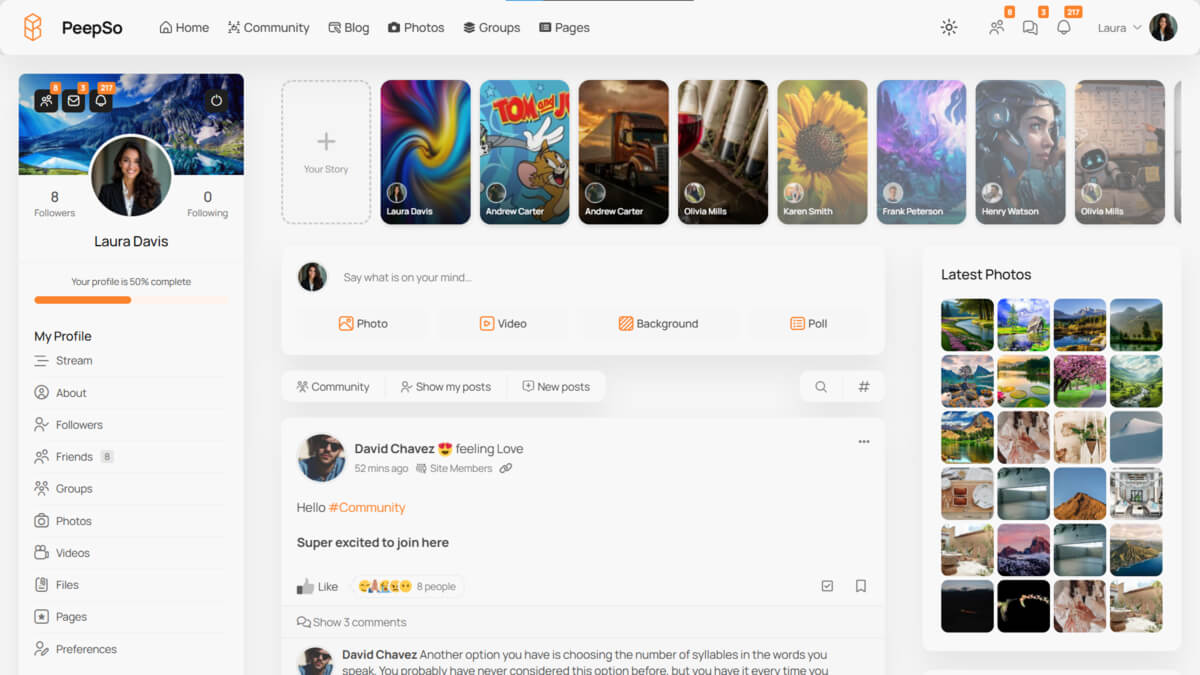
The strongest thing about PeepSo is that the pieces fit together. A member signs up, lands on a profile that looks and behaves the way they expect from a social platform, joins a group, posts an update with a photo, gets a notification when someone replies, and ends up back on the site again the next day.
That loop is the whole game in community software, and PeepSo handles it without you needing to bolt together six different plugins.
The activity stream sits at the centre. Members can post text updates, add images, share videos, embed links with previews, mention other members, use hashtags, and react to posts. The composer feels familiar, which matters more than people give it credit for. Members do not want to learn a new way to post, they just want it to work like every other platform they already use.
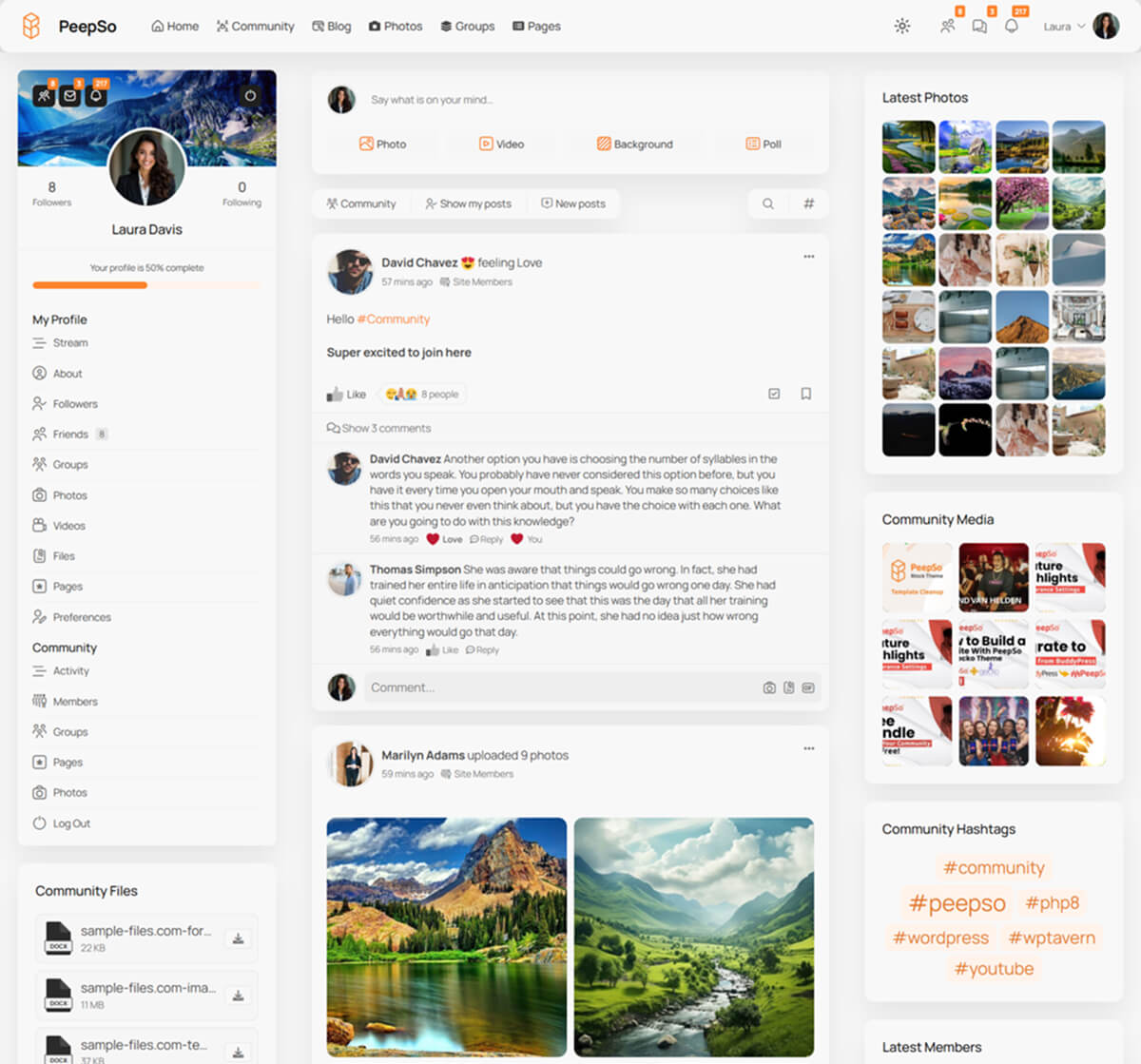
Profiles, groups, and pages handle the structural side. Profiles give each member their own front-end identity. Groups let you organise conversations around topics, courses, member tiers, or anything else worth segmenting. Pages add another layer for branded spaces, sub-communities, or specialised areas. Combined, they let you shape the community around how your business actually works rather than forcing a generic structure.
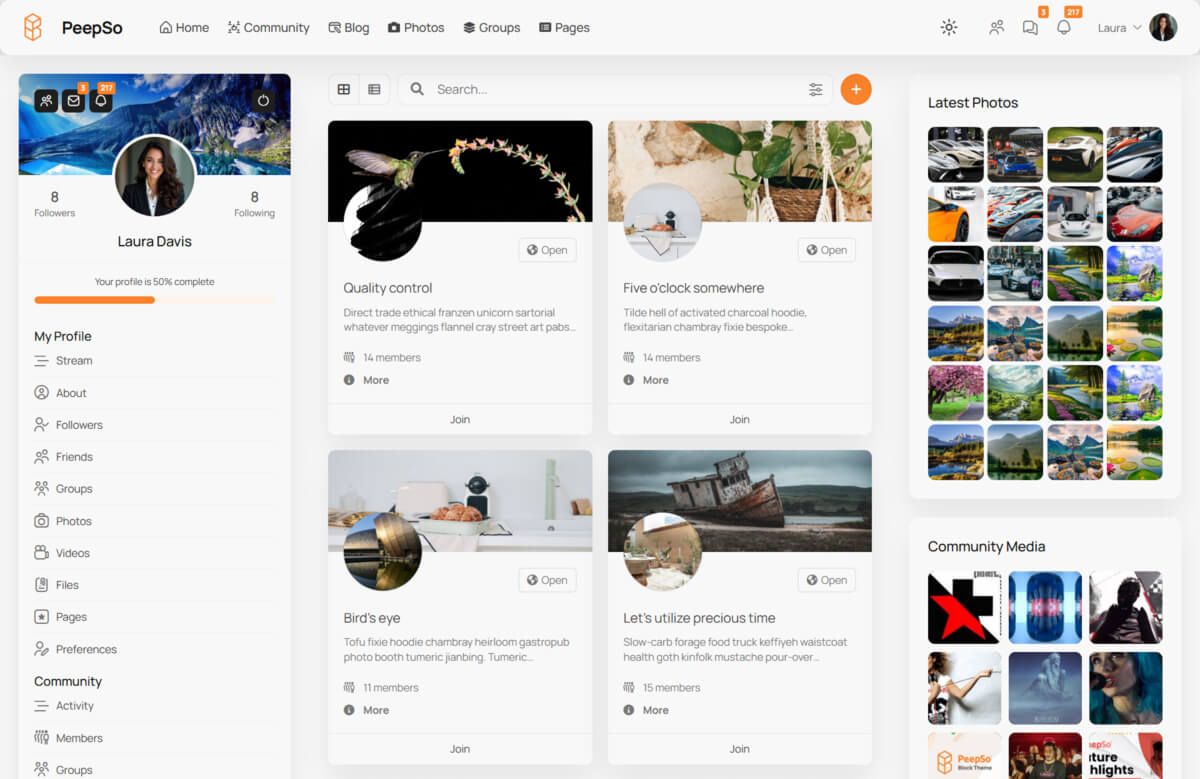
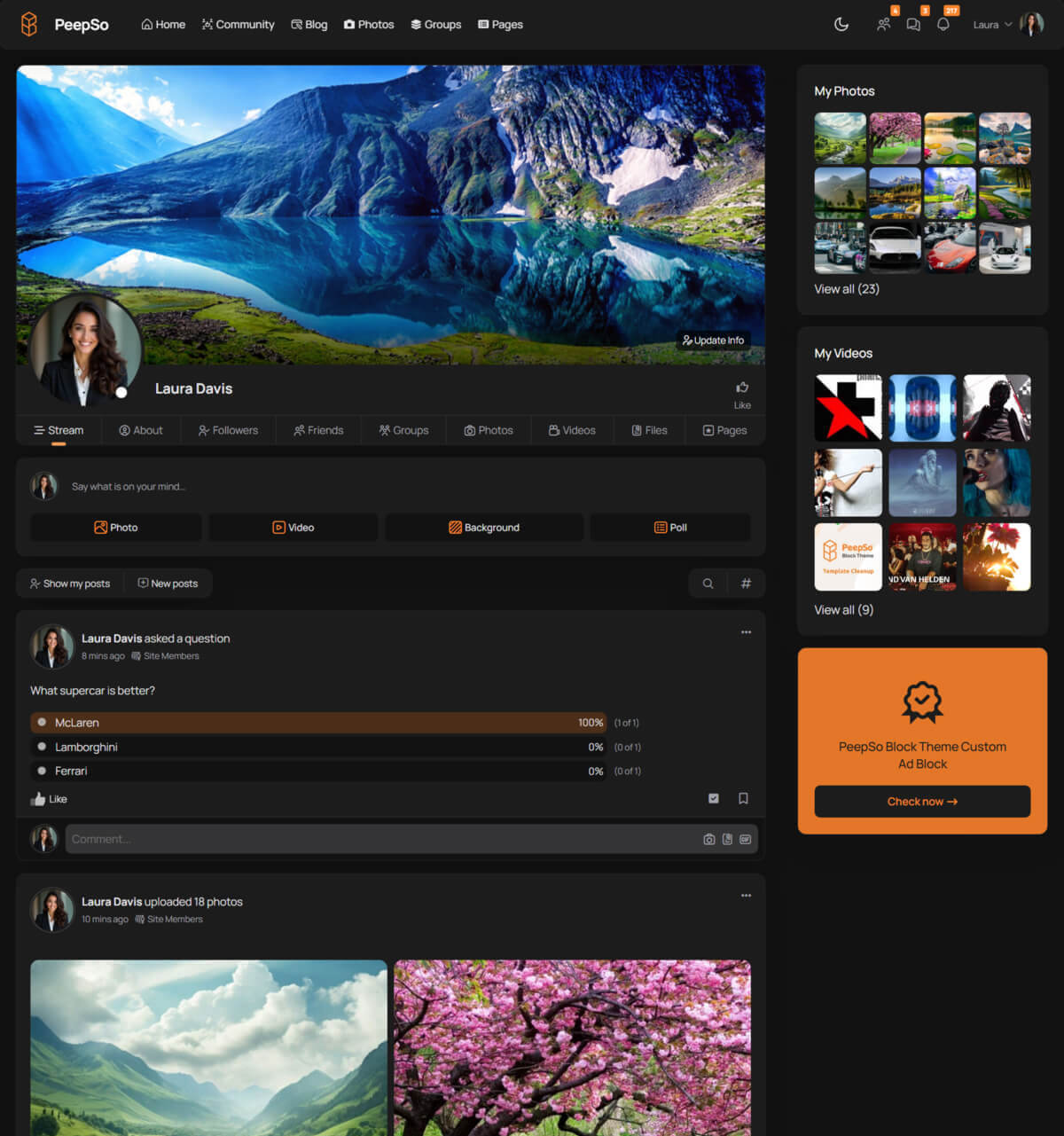
Now, a community where members can only post text feels flat quickly, so photo albums and video uploads matter more than you might think. Once people can share photos, organise them into albums, and upload short videos directly into the stream, the platform feels alive in a way that text-only setups rarely achieve. For coaching brands, fitness communities, travel groups, and education sites, that visual layer often becomes the main reason people keep coming back.
That visual layer recently expanded with a new Stories plugin, released in May 2026 and included in the Ultimate Bundle. Members can post multi-slide Instagram-style stories with images, videos, and optional call-to-action links, expiring after 24 hours by default.
It is brand new, so the long-term value will only become clear as communities adopt it, but it gives PeepSo a more immediate, time-sensitive content format alongside the standard stream posts.
Messaging, Notifications, and the Retention Loop
A community grows on repeat interaction, and the piece that makes that work is the combination of private messaging and notifications, which PeepSo gets right.
Private messaging gives members a reason to build smaller, ongoing relationships inside the platform. In most successful communities, the strongest retention comes from those quieter conversations between members, instructors, moderators, and customers. Keeping those conversations inside the same WordPress environment, rather than pushing people off to Slack or WhatsApp, is what makes the platform feel like a place rather than a feature.
Notifications are the other half. They guide attention back to the site, surface new replies, and give members a reason to log in tomorrow. PeepSo handles this through both in-app notifications and email digests, which means inactive members still get pulled back without you having to set up a separate marketing automation tool.
Admin and Day-to-Day Management
The configuration area is extensive. There is a settings panel for almost every part of the product, including stream behaviour, registration flow, moderation rules, profile fields, group permissions, notifications, email templates, and integrations. The good news is that the defaults are sensible, so you can launch a working community without configuring everything on day one.
Beyond configuration, the Manage area is where most of the day-to-day community work happens. The moderation queue handles reported items with context-aware quick actions, so a reported user gives you a one-click ban option, while a reported post gives you a one-click unpublish option. That sounds small until you have a stack of reports waiting and want to clear them in a few minutes rather than half an hour.
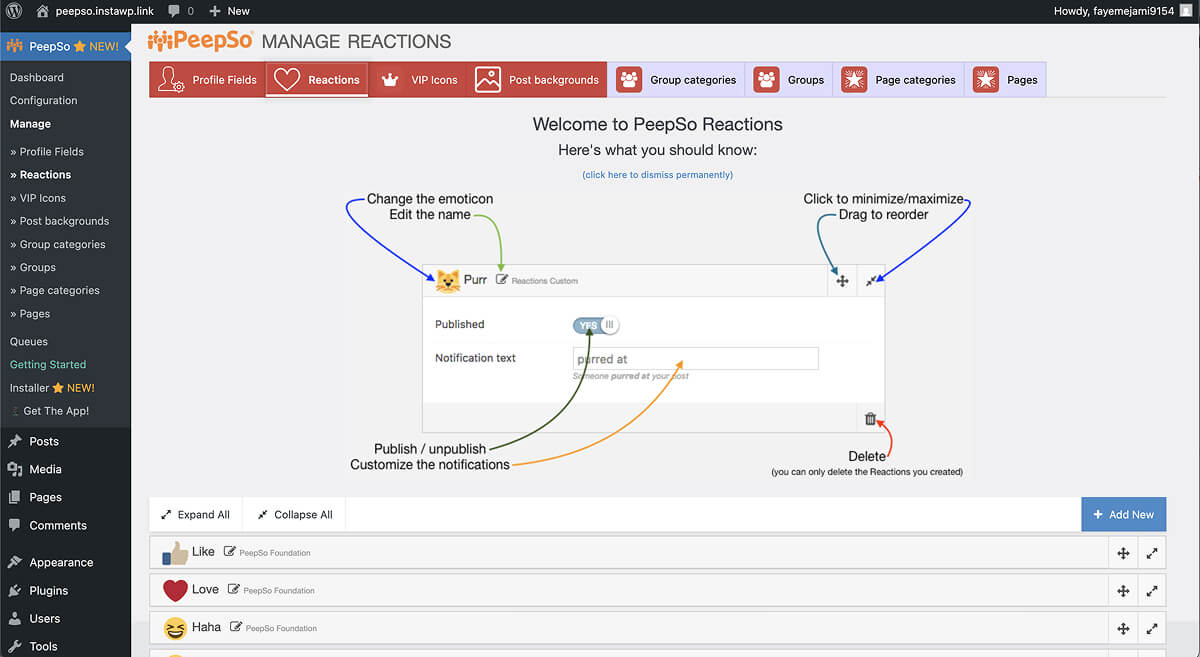
Profile fields are configured through drag-and-drop, with the option to add custom fields beyond the defaults. Reactions are also fully configurable, so you can change the default Like and Love set to something that fits your community better, or even rework them into something more specific to your audience.
Group management is centralised, including the ability to unpublish groups that go off the rails, while email templates are editable directly from the dashboard with merge tokens for dynamic content like usernames or activity links.
The honest reality is that configuring all of this properly takes time. There are real decisions to make about how members register, what they can post, how moderation works, who can create groups, and how much freedom you want to give. PeepSo gives you the controls, but the controls require you to be willing to think through them.
PeepSo and Themes
PeepSo works with practically any well-built WordPress theme, so you do not have to use one of theirs. If you do want a theme designed specifically for PeepSo, there are two options.
Gecko is the classic theme. Still maintained and supported, but no longer where new development is happening. Block Theme is the newer Full Site Editing option, and it is the one receiving active feature work.
For new projects starting today, Block Theme is the forward-looking choice, but for existing sites already running on Gecko, there is no rush to switch.
Integrations Worth Knowing About
This is where PeepSo gets more interesting if you already run a WordPress business. The Ultimate Bundle includes integrations with LearnDash, Tutor LMS, MasterStudy, WooCommerce, Easy Digital Downloads, Paid Memberships Pro, WP Job Manager, WP Event Manager, GiveWP, Advanced Ads, and myCRED for gamification.
In practice, that means a course creator can have students automatically join a community space when they enrol. A WooCommerce store can build a buyer community where customers see each other’s profiles and posts. A non-profit using GiveWP can give donors recognition inside an active member space. A membership site can turn paid access into a real ongoing experience instead of just a content paywall.
This is the kind of feature set that justifies the platform-level pricing if you actually make use of the integrations to their full potential.
Other PeepSo Features and Configuration Options
PeepSo is the kind of product where the headline features tell most of the story, and the smaller details fill in the rest. A few that are worth knowing about before you commit include:
- Security controls, including captcha protection, minimum password length, failed login limits, and email domain allow or block lists for registration. These reduce spam signups and abuse before they become moderation problems.
- Reddit-style voting where the reactions system can be reconfigured into an upvote and downvote setup for forum-shaped communities that want voting on contributions.
- Markdown formatting so members can use headings, bold, italics, and other formatting in posts, which helps long-form discussion, tutorials, and educational content.
- Native WordPress embeds like oEmbed work inside the stream, so YouTube videos, tweets, and other embed-supported links render naturally without needing extra configuration.
- Group and Page categories, so both Groups and Pages can be organised into categories, which becomes useful once a community grows past a handful of spaces.
- VIP icons as visual markers for instructors, staff, featured contributors, or premium members. A small addition, but they reinforce status and recognition inside the community.
- Moods and locations on posts so members can add context to updates, like feeling excited at a specific place, which adds personality beyond plain text.
None of these are reasons to choose PeepSo on their own, but together they show the kind of depth that separates a serious community platform from a basic social plugin.
Pricing
PeepSo uses a freemium model. The free version covers a meaningful set of features including the Block or Gecko theme, Audio and Video plugin, Friends plugin, and Groups plugin, which are enough to launch a small community without paying anything.
The two paid tiers are where most serious site owners will land:
- Community Bundle: $199 per year for one site (currently $99.50 introductory for the first year). This adds Groups, Pages, File Uploads, Email Digest, User Limits, the Block Theme, Social Login, and the Awedesk third-party integration.
- Ultimate Bundle: $399 per year for one site (currently $199.50 introductory for the first year). This adds every integration listed above, the new Stories plugin, 24/7 priority support, and early access to new features
There is also the PeepSo Power Suite at $7,117 per year, which is a managed service where PeepSo handles hosting, infrastructure, mobile apps, and five hours per month of custom development. Mind you, this is not a plugin license. It is a done-for-you community service for organisations that do not want to deal with WordPress directly.
A 14-day money-back guarantee applies to all paid plans, and overall, the pricing is fair when you consider what you actually get. The Community Bundle is competitive compared to most serious WordPress community plugins, while the Ultimate Bundle only makes sense if you genuinely use the integrations.
Support and Documentation
Support quality is one of the most consistent themes in PeepSo’s reviews. Free users rely on documentation and the YouTube channel rather than direct support, which is standard practice for freemium WordPress plugins. Paying customers get ticket-based support, with the Ultimate Bundle adding 24/7 priority response.
Documentation is reasonably thorough and covers configuration, integrations, and common workflows. For most setup questions, the documentation is enough, while for anything custom, you will be filing a ticket with their responsive support team.
What Real Users Are Saying
PeepSo holds a 4.2 star rating on Trustpilot across 70+ reviews. The recurring positive themes are worth noting, including customers consistently praising the support team’s responsiveness, the depth of customisation, and the experience of switching from BuddyPress or BuddyBoss. Several reviewers describe PeepSo as the platform they landed on after testing five or six other community plugins.
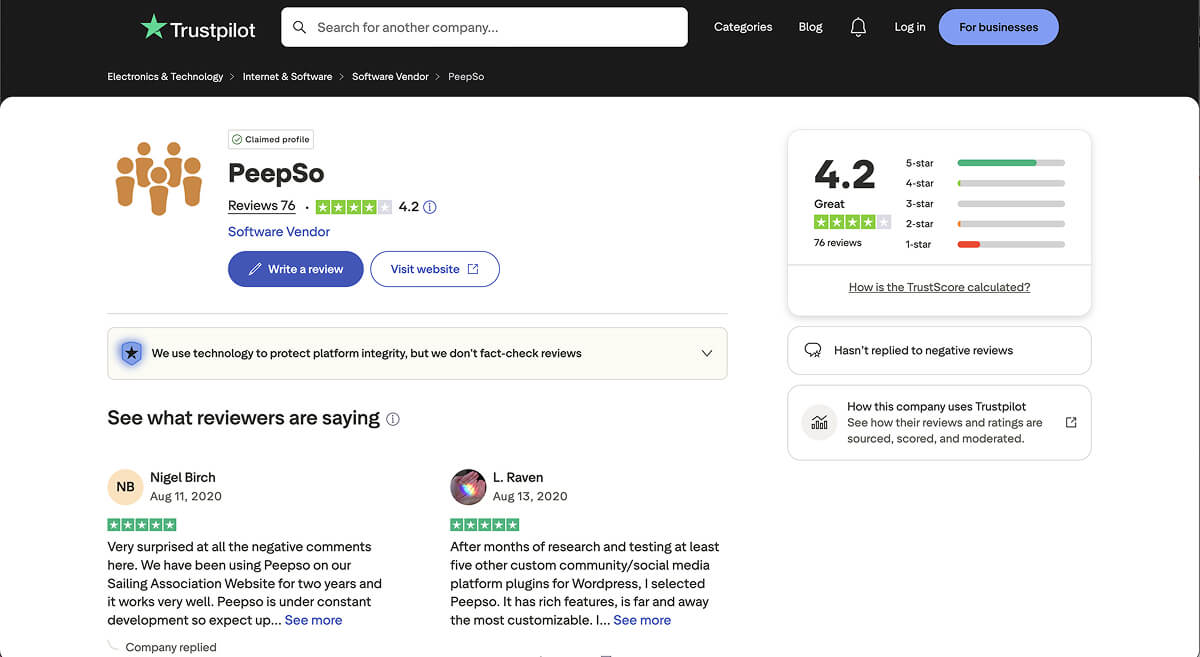
One reviewer described it as far and away the most customisable option after testing several alternatives. Another described moving to PeepSo from BuddyBoss and getting consistent positive feedback from their own members about the switch. Meanwhile, the performance and customisation themes show up repeatedly across the positive reviews.
The negative reviews are mostly about performance on lower-tier hosting and occasional billing or refund disputes.
Where I Would Be Cautious
Three honest concerns are worth raising before you commit.
Hosting matters
PeepSo is a serious community plugin with a lot of moving parts: profiles, media, real-time chat, notifications, activity feeds. Shared hosting plans struggle with this kind of load, and several Trustpilot reviewers have flagged page load times getting noticeably worse after installation.
Cloud hosting or a strong managed WordPress host is a more realistic environment. This is not unique to PeepSo, but it does mean budgeting for hosting is part of the decision.
The learning curve is real
Even with sensible defaults, setting up and configuring everything properly takes time. Realistically, you need a few days to launch a basic community or a few weeks to genuinely understand all the features, configuration options, and integrations. Site owners who expect to install and forget will probably feel overwhelmed, but if you are willing to invest the setup time, you’ll get a much better community.
The free version is a starting point
A lot of the features that make PeepSo feel like a real community platform sit behind the Community Bundle, including Groups, Pages, and File Uploads. If you are not willing to pay for the upgrade, you will run into limits quickly. The free bundle is a fair way to evaluate the plugin, but assume you will be moving to at least the Community tier if you are serious.
The Verdict
PeepSo remains one of the strongest options for building a real community inside WordPress. The product cohesion is its biggest advantage, with the features genuinely fitting well together, and the integrations covering the major business use cases.
For course creators, membership site operators, creator brands, and content publishers who want community as part of the business, this is a serious platform worth shortlisting. Meanwhile, for anyone who just needs a comment thread or a simple member directory, it is more than you need, so look elsewhere.
The honest summary is this. PeepSo asks you to take community seriously as a platform decision rather than treating it as a casual plugin install. If you are willing to do that, including the hosting investment and the configuration time, you get one of the best community experiences available on WordPress today. If you are not, no community plugin is going to save you.
Have you tried building a community on WordPress before, and did the platform itself end up being the limiting factor, or was it something else?



3 Responses
Hi Laura, have you reached out to their support team about this? I’ll ping them myself to have a look at your comment, perhaps they can help you figure it out.
What you don’t seem to mention is uninstalling Peepso. It’s a DISASTER!!! I have 53,000+ pages which I did not create. I can not find a way to completely remove Peepso from my site. I even tried installing it again, clicking for it to remove itself, then deactivating and uninstalling. I still have 53.000 pages and whatever else I have not found yet. Peepso is a big dump of files I did not ask for or want and now I will need to take hours to delete this one by one. Do not install this plugin!!!! I could find not help for removing Peepso on their website.
Yes! Yes! Yes! All this and more is PeepSo. Fortunately, in the sea of more or less inventive offers, PeepSo is ideal environment for making your own social network similar to those already known and established social networks for connecting and sharing content, interests, realization of communication and contacts through internet.
From my personal experience, PeepSo has already established professional standards and development strategy becoming a brand over other platforms which are offering only similar opportunities or something already seen. You are wondering what is that which makes PeepSo different and better product than the others? It is the ease of use, purity of the forms, compatibility with updates of WordPress and the accessories you are using, and the openness of the PeepSo team for new solutions and improvements of everything offered by the PeepSo team for creating one professional network or community.
If you are looking for a sense of identity, creative inspiration, professional opportunities, collaborators, partners and pure enjoyment, PeepSo offers different kind of opportunities and combinations that will help you to create your own world.
Theirs moto is “Your Community. Your Way.”, but with PeepSo everything is easy, fast and simply.