
The Genesis Framework has become a very popular choice for many WordPress site owners, and with this increase in popularity has come an explosion of child themes.
However, no matter how many child themes exist you always want to make some changes to the look of your site. Now the only way you could do this was through code, and I’m sure many of you reading this either aren’t familiar with code at all or just don’t fancy playing around with it.
Well, here’s a simple solution. Design Palette Pro. It’s a premium third party plugin from Reaktiv Studios that lets you customize any Genesis child theme without the need for any coding.

Design Palette Pro allows you to use simple point-and-click options in order to create the look you want for your site.
Now, not all themes are supported just yet, but a lot more should be added to the list soon. Here’s what’s supported till now:
- Beautiful Pro
- Daily Dish Pro
- eleven40 Pro
- Executive Pro
- Lifestyle Pro
- Metro Pro
- Minimum Pro
- Modern Portfolio Pro
- News Pro
- Outreach Pro
Support for all other Genesis HTML5 child themes is in development and will be automatically added to the Design Palette Pro plugin when released.
Among the many features of Design Palette Pro you’ll find the ability to modify all areas of your site. Whether you want to change the way the header looks or the way the content area is laid out, it can all be done with just a few clicks.
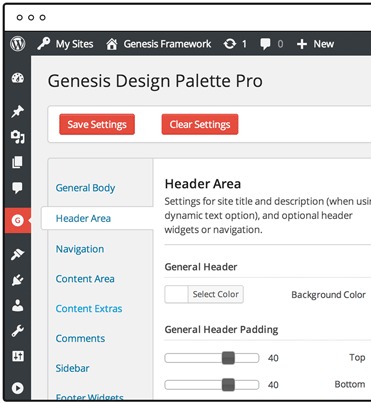
You’re free to change such things as colours, fonts, backgrounds, images, margins, padding, and so on. All you have to do is point, click, test and correct till you find the look you want.
But how does this work? Can it break your theme?
No, in fact it generates a custom CSS file meaning none of your child theme’s code is replaced and you won’t lose any work.
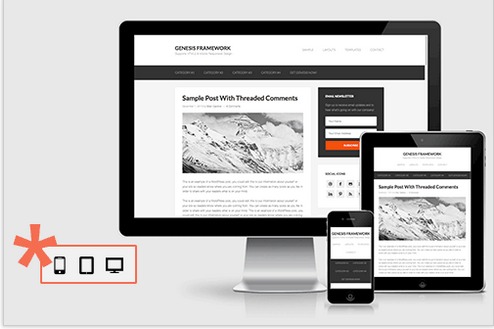
Another neat feature is the ability to switch between preview layouts to view your site on desktop, mobile or tablet. This allows you to see exactly what your visitors will see.




One Response
Thanks for this great Post. I m searching from 2 month.thanks a lot