


I’ve read a lot of WordPress maintenance pitches over the years, and most of them blur into the same list of updates, backups, uptime monitoring, a security scan, and a monthly PDF report nobody opens.
It’s fine in some cases, but it’s also the reason so many online store and course owners end up disappointed. Although the work gets done and the boxes get ticked, when something specific breaks, the maintenance agency often has no idea where to start looking.
That is the gap WooNinjas’ care plans are built around. Rather than being another generalist maintenance shop like most other agencies, they choose to maintain WooCommerce and LearnDash sites specifically, and they’re the same team that builds and extends those platforms for a living.
Why Specialist WordPress Maintenance Beats a Generalist
There is an uncomfortable truth about WordPress maintenance, which is that running core, theme, and plugin updates is the easy 80%. Practically anyone can do it in truth, which is why almost every agency offers it for $49 a month.
The 20% that matters is what happens when a WooCommerce checkout starts throwing AJAX errors during a sale, or a LearnDash update quietly breaks quiz progress tracking for every student mid-course. That quickly becomes a problem when the agency you’ve hired to maintain your site doesn’t fully understand how the platform works under load.
A generalist provider can keep a brochure site healthy forever, that’s relatively simple to do. Put them in front of a broken cart or a Stripe and WooCommerce Memberships connection that is double-charging customers, and that’s how you quickly find out how good they really are.
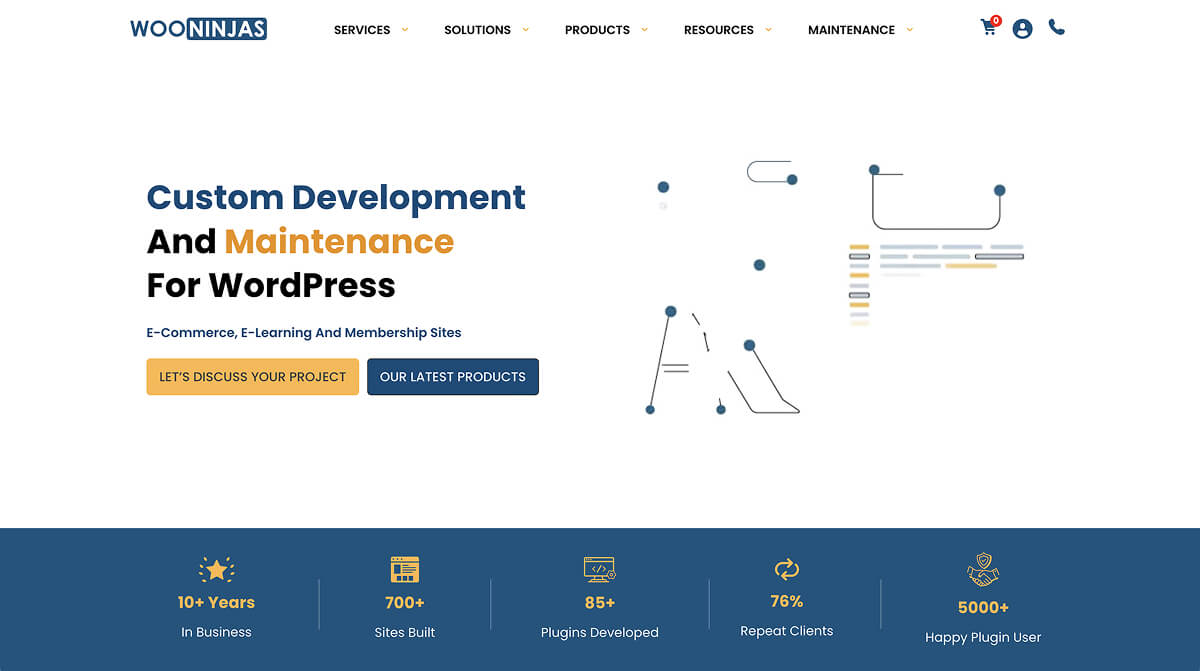
WooNinjas have more than 11 years of experience in the WooCommerce and LearnDash ecosystems, with 700+ sites built, and over 80 custom plugins shipped. That last number is the one I pay attention to, because an agency that has built and supported 80 LearnDash and WooCommerce add-ons has already broken and fixed most of the edge cases your site will eventually hit, on their own products, on their own time.
That is something worth paying attention to in terms of who the WooNinjas services are really for. If you fit into the cohort of established WooCommerce stores that cannot eat downtime, LearnDash sites running genuine certification or education programmes, and agencies or owners who have outgrown a generalist provider all need a team fluent in the specific plugins their site runs on, keep reading.
What WooNinjas Maintenance Plans Include
Every plan sits on the same foundation, and rather than relay the full feature sheet, I’m going to sort it into what matters most and what is simply expected.
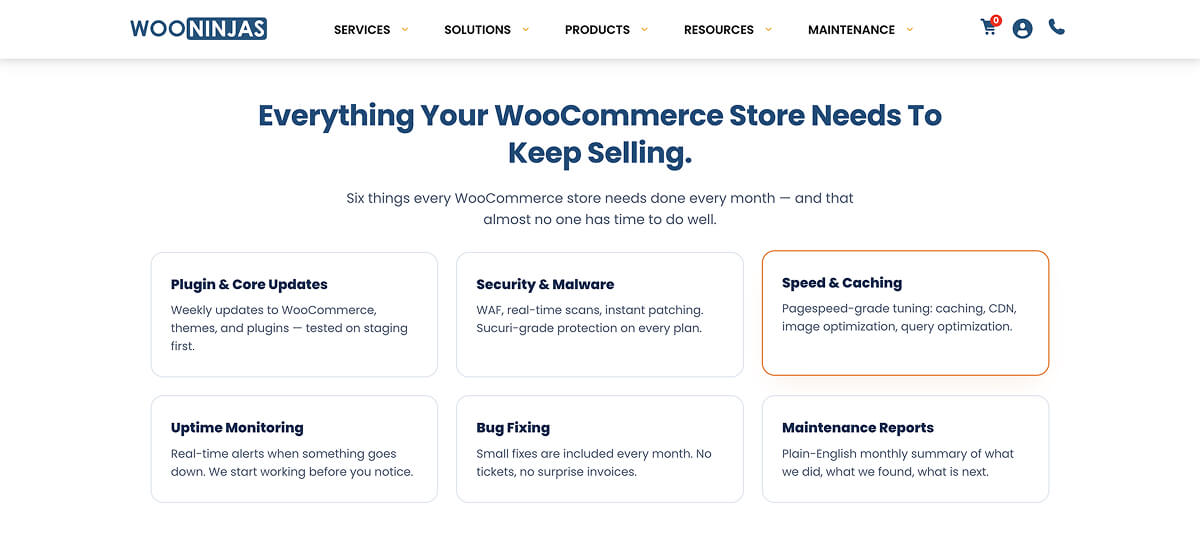
The baseline, the stuff any competent provider should offer, includes core WordPress and plugin updates, uptime monitoring, broken link scanning, SSL monitoring, and two-factor authentication. WooNinjas does all of it, but don’t choose a maintenance provider because of just that.
Two things in the foundation are worth more than you might think. The first is that every update is tested on a staging environment before it touches production, and although that reads like a footnote, it’s the single most common corner that budget providers cut. The second is version control with rollback, which is the same insurance from the other direction.
On security, they run Sucuri rather than rolling their own solution, with scanning cadence rising from monthly to real-time as you move up tiers, plus WAF, DDoS mitigation, and file change detection. Their top Climber plan layers AI-driven threat detection on top of continuous Sucuri monitoring. Using Sucuri is a sensible call from their team as it’s a known quantity. I’d rather a maintenance team lean on a dedicated security platform than improvising to build their own if it’s not their area of expertise
Performance is where the foundation starts earning its keep, with database optimisation, a full caching stack, minification, CDN setup, image compression, and font optimisation. Higher tiers add something I rate more than the checklist items too, which is continuous third-party plugin audits and custom code evaluations. These catch the performance regressions that creep in when a plugin update or a bit of bespoke code quietly starts dragging the site down. Most of the rest is available elsewhere, so the real differentiator is the platform-specific tuning, which is where this review actually gets interesting.
The consultation piece is where the quiet value then lies. Maintenance clients get up to 33% off custom development against non-maintenance rates, so if you already know you will need ongoing build work, and a store or LMS usually does, that discount changes the maths on the whole arrangement.
For reference, here is the full foundation that sits under every plan, before any platform-specific extras:
- General maintenance, including WordPress core, theme, and plugin updates (monthly, bi-weekly, or weekly by tier), all staging-tested before production.
- Performance, including database optimisation, page/object/browser caching, lazy loading, JS and CSS minification, CDN setup, image compression, GZIP and Brotli compression, font optimisation, mobile performance auditing, plus third-party plugin audits and custom code evaluations on higher tiers.
- Security (via Sucuri), which includes malware scanning and removal (monthly to real-time by tier), WAF, DDoS mitigation, brute force prevention, SSL monitoring, file change detection, two-factor authentication, and AI-driven threat detection on Climber.
- Support, with technical maintenance reports (monthly to weekly by tier), uptime monitoring, custom code monitoring, bug fixes, broken link scanning, version control with rollback, and a dedicated support manager on higher tiers.
- Consultation, including hosting and scaling advice, customisation and design guidance, and discounted development hours.
WooNinjas WooCommerce Maintenance: What Sets It Apart
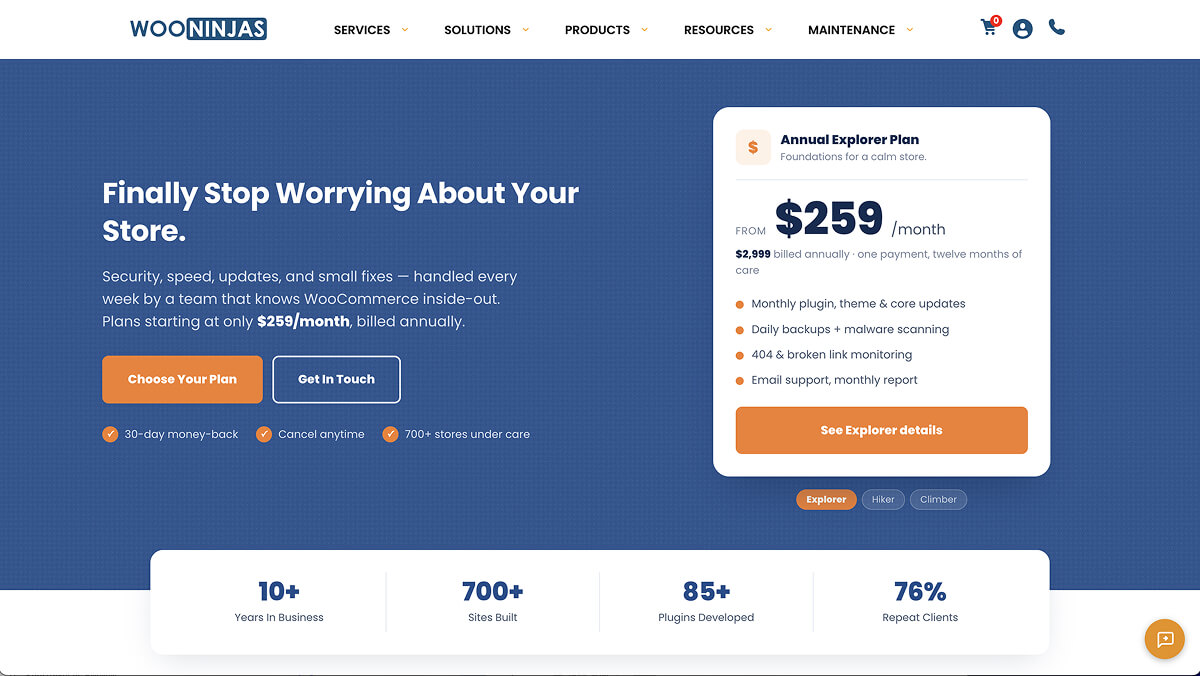
This is where a specialist pulls away from a generalist, and WooNinjas puts the real value behind the higher tiers.
The headline feature is Advanced WooCommerce Performance Tuning, and it lives only on the top Climber plan. It targets the WooCommerce-specific bottlenecks such as cart fragments, checkout speed, and AJAX calls. If you’ve ever watched your checkout crawl to a snail’s pace while traffic spikes, you know these are exactly the things a generic “we optimised your cache” provider never touches, because they don’t know where to look in the first place.
The Hiker and Climber tiers give you dedicated WooCommerce support for checkout errors, order failures, and payment gateway conflicts, rather than generic WordPress troubleshooting. Real-time monitoring on the Climber tier means a broken checkout gets flagged before it quietly costs you a day of orders, which for a real store is the entire point of paying for maintenance at all.
The detail I did not expect, and the one I would actually value most, is documentation. Every maintained site gets a knowledge base covering its structure, custom code, and key workflows. Anyone who has inherited a site with five years of undocumented custom code from a developer who has long since vanished understands precisely what that is worth. If you ever sell the business or change developers, all past knowledge is written down rather than locked in someone’s head.
For owners who need build work alongside maintenance, there are development bundles at 40, 60, or 100 hours ($3,000, $4,200, and $6,500 respectively), discounted against standalone project rates.
WooNinjas LearnDash Maintenance: The Real Differentiator
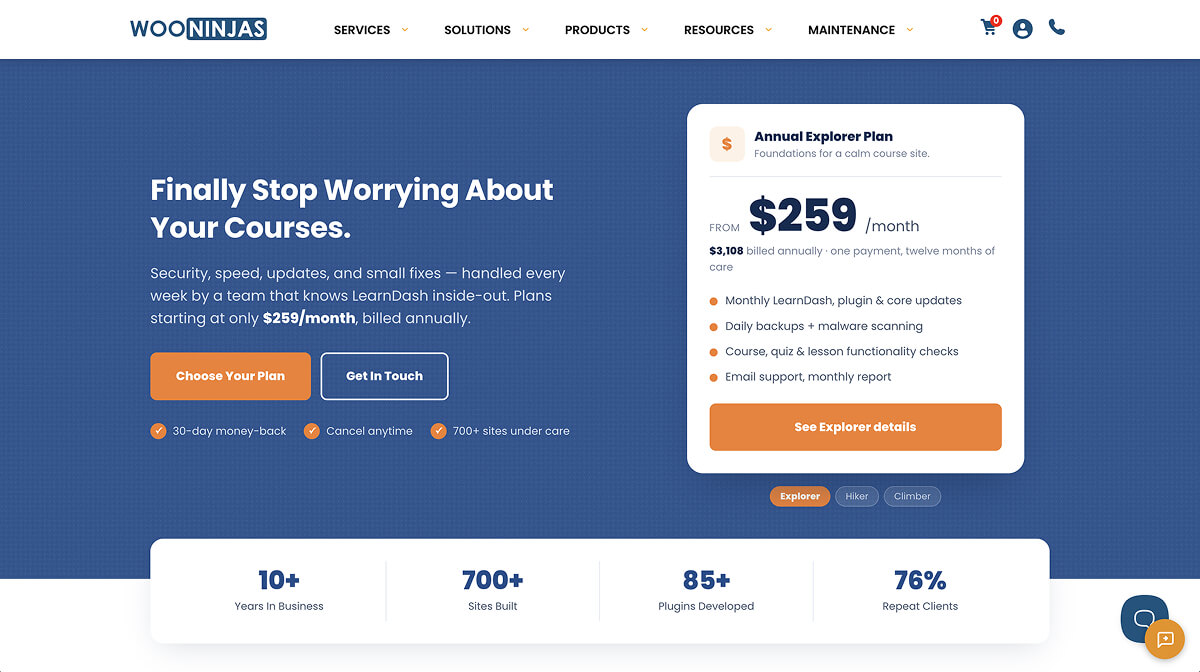
If the WooCommerce side is a strong specialist offering, the LearnDash side is close to unique, and it is the reason I would take WooNinjas seriously over almost any other provider.
LearnDash maintenance is genuinely a different discipline, and WooNinjas is listed on the official LearnDash experts page, having built more than 80 LearnDash add-ons. That is truly a verifiable position in a small field, so if you’re a LearnDash user, take that into consideration.
It shows up in features that have no equivalent in a general plan, including compatibility checks that run monthly, or weekly on Climber, so a LearnDash core or add-on update does not silently break your courses. Course access, enrollment, and quiz functionality are actively monitored from the Hiker tier, which means someone is confirming the learning experience works for every student rather than waiting for a support ticket from a frustrated one.
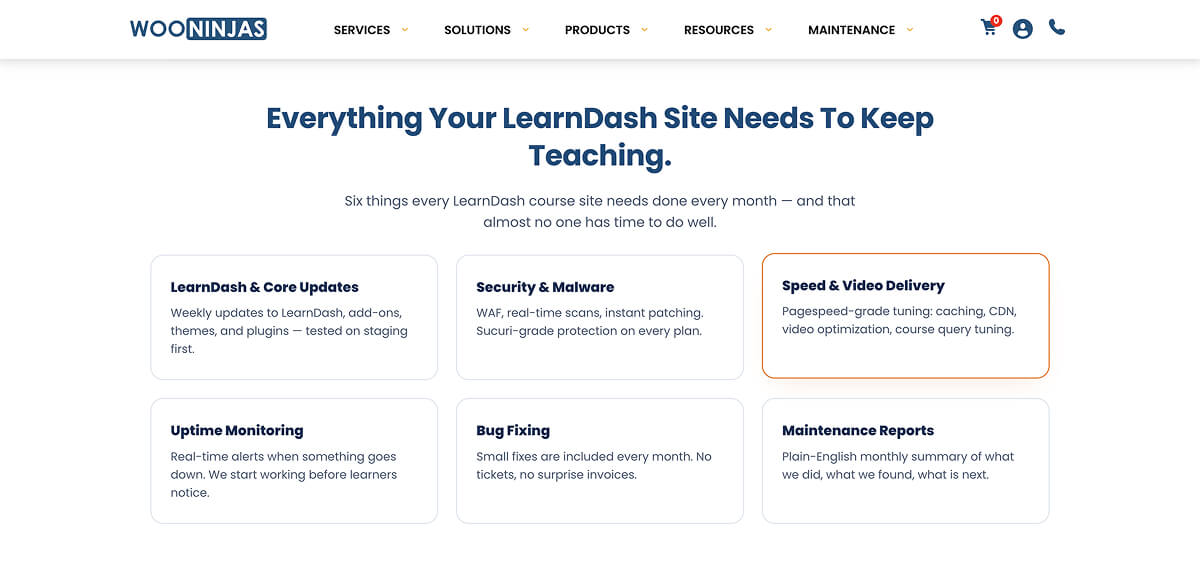
The plans also handle the operational reality of running a real LMS. That includes user roles and groups, drip scheduling, CEU and CPD management, custom certificates, and integration support across WooCommerce, BuddyBoss, and GamiPress.
The top tier adds Advanced LMS Performance Tuning for course loading, quiz rendering, and progress tracking. For a platform with thousands of active learners, response times feed directly into completion rates, and completion rates feed directly into whether people renew.
One structural touch I rate for their tiers is that they’re sized by concurrent users, with Explorer up to 3,000, Hiker up to 6,000, and Climber up to 10,000. It’s an honest way to match the plan to where your platform actually is, rather than the usual approach of inventing reasons to upsell.
WooNinjas Case Studies and Track Record
I cannot test the maintenance service reliably without having an established WooCommerce store or LearnDash site, but to keep this review as honest as possible, I can scrutinise the evidence WooNinjas puts forward. The good thing is that it holds up better than most.
WooNinjas points to two clients they work with in their case studies, so I’ll be going a bit deeper into each one.
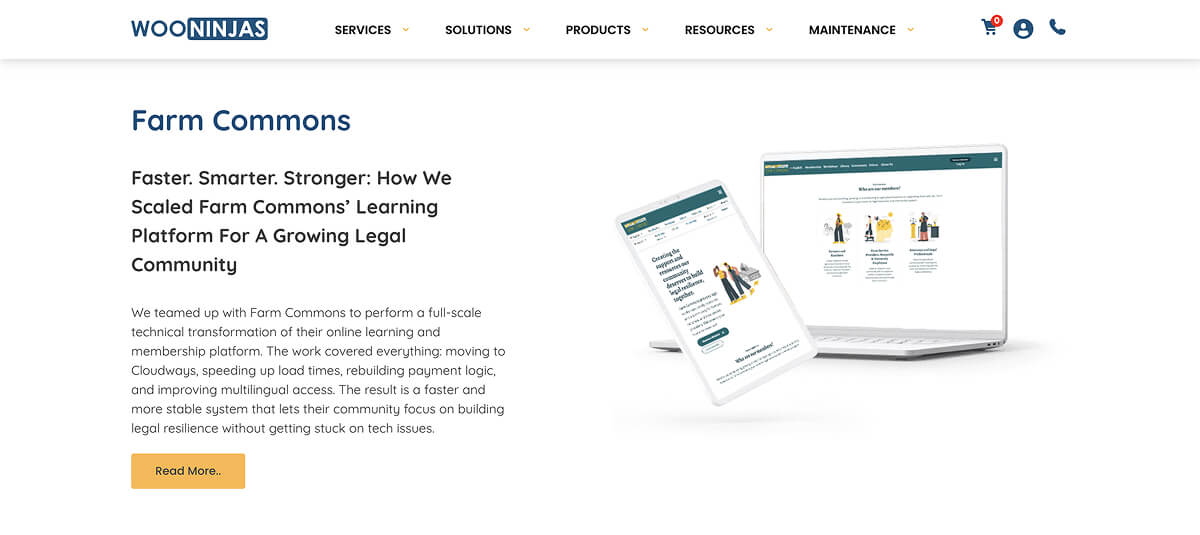
Farm Commons, an agricultural legal education hub running memberships and courses across LearnDash and WooCommerce, came to them with the kind of compounding mess that kills platforms. They suffered from slow loading, broken membership upgrades, Stripe payments double-charging, unlinked enrolments, and Spanish-language pages failing to render.
The reason I give this case study some weight is that it’s not just a self-published one. It corresponds to a verified Clutch review from the Farm Commons director, who independently describes a spreadsheet of 42 issues being worked through and resolved, and rates the work as 5 stars across the board. When a vendor’s case study and an independent verified review point at the same engagement, it earns that much more trust.
The second, Got Your Back, is the more ordinary tale. With redirect problems hurting SEO, spam registrations, broken logins, add-to-cart failures, and outgrown hosting, WooNinjas put them on the Climber tier and worked through it methodically, ending in a Cloudways migration. I will be honest that this one reads like every agency case study ever written, with all problems solved and everyone happy, so I would not lean on it too much. The most important factor is that the client is still an active Climber client, and that kind of retention is a better signal than almost anything else.
WooNinjas Pricing: Plans, Cost, and Value
Three tiers are available, called Explorer, Hiker, and Climber, starting at $259, $379, and $509 per month respectively, billed as a single annual payment up front ($2,999, $4,499, and $5,999 respectively).
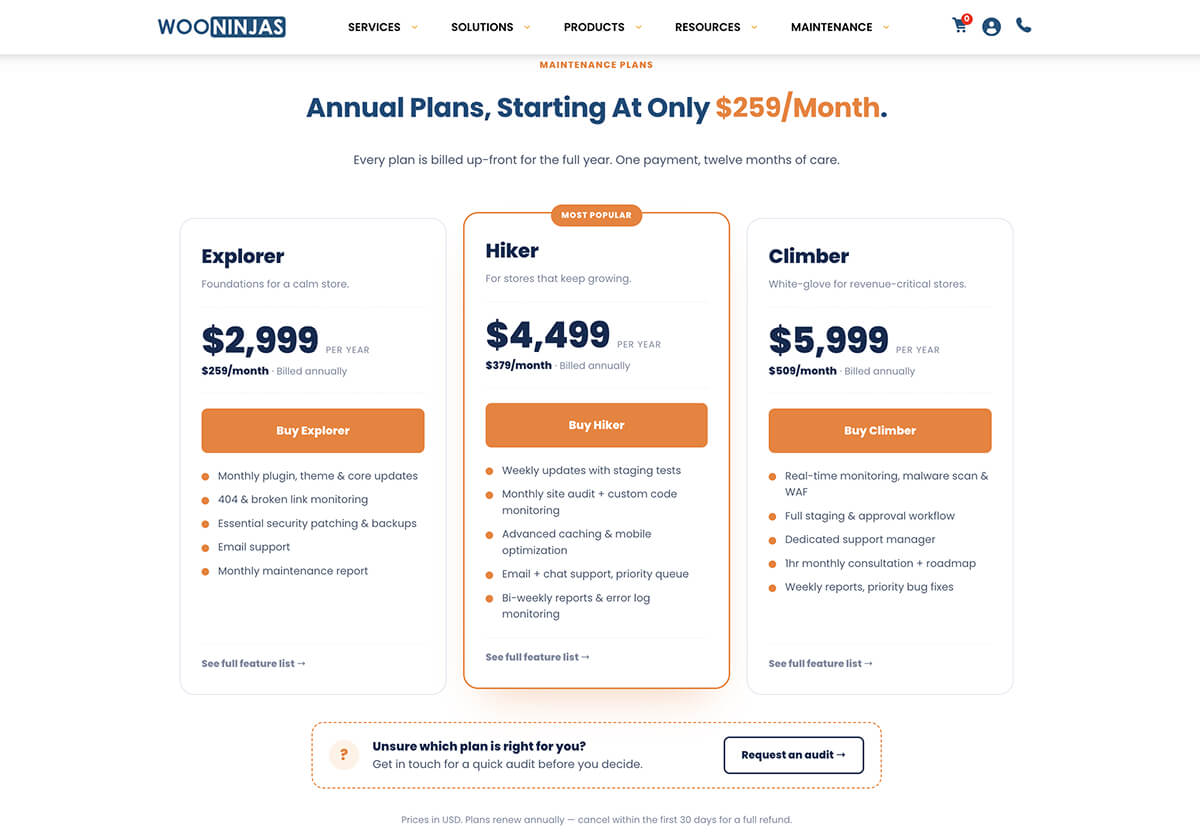
Let me be straight about the value proposition, because these aren’t budget prices and you shouldn’t pretend otherwise. A typical maintenance agency might quote you a fraction of this, and for a simple site, they’d be a better fit.
What the premium buys is platform-specific expertise, staging-first updates, Sucuri security, and a team that has very likely already solved your specific problem on someone else’s site. For a WooCommerce store or a LearnDash LMS where an hour of downtime comes with a real hit to revenue, the value is right there for you to see.
Two things are worth knowing and considering before you commit.
The first is that the full year is paid up front, so this is a single annual outlay rather than a monthly one, which is worth planning for even with a 30-day refund window as a safety net.
The second is that each site needs its own plan, with multi-site discounts kicking in at three or more sites. That structure is reasonable for a service doing genuine per-site work, but if you run a small portfolio site, the cost adds up and it’s first worth pricing each plan against the revenue that the individual site actually generates.
WooNinjas Reviews: What Customers Say
WooNinjas holds a 4.9 out of 5 from 11 verified reviews on Clutch, with a straight 5.0 on quality. The praise is consistent and specific, with deep LearnDash and WooCommerce expertise, timely delivery, strong value, and clear communication being cited.
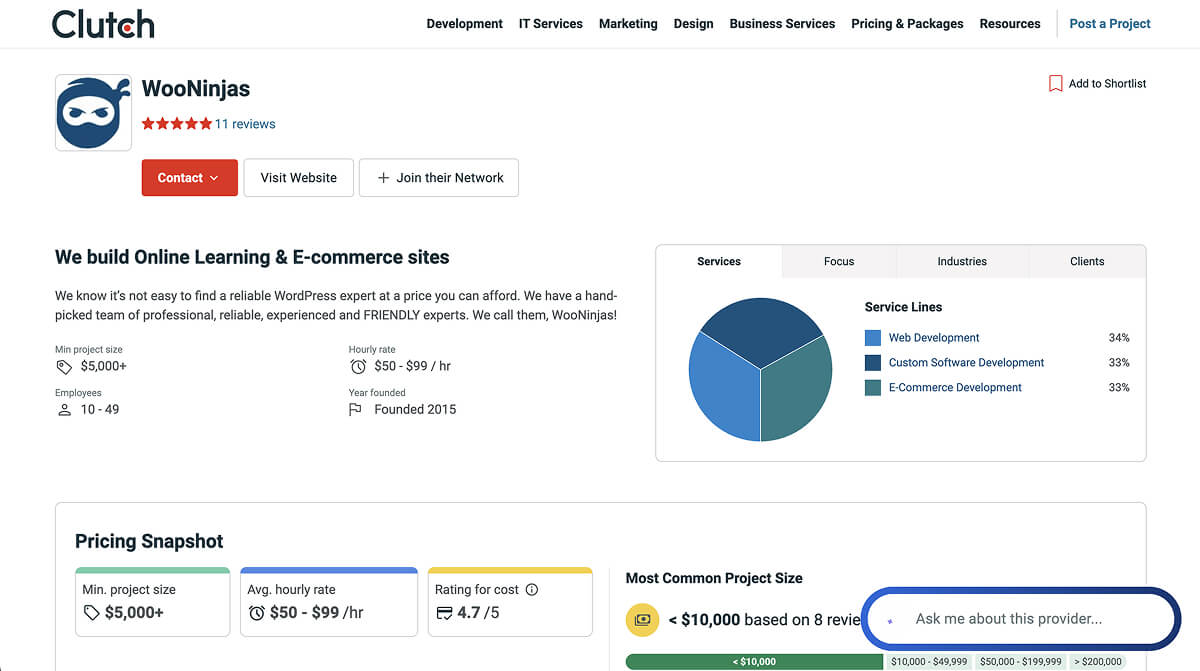
One healthcare education client even highlighted the detailed weekly progress emails and dev-site access for testing, while a dental sleep medicine client named their LearnDash and WooCommerce knowledge as the deciding factor over competitors.
There is an honest caveat to consider for these reviews though. Most are related to WooNinjas’ custom development and plugin work as much as the maintenance plans themselves. This is mostly down to the timing, since they’ve offered those services for a lot longer than the maintenance plans. That being said, it’s still a positive reflection of the team and the company’s standards, no matter the service being provided.
Is WooNinjas Worth It? The Verdict
The expertise is real and verifiable, with the LearnDash positioning in particular being something very few agencies can honestly claim, and the Clutch record backing up the quality of the work. The case for WooNinjas’s maintenance services is strong if you’re running WooCommerce or LearnDash.
You do have to pay for the full year up front, which can be pricey, and the per-site structure adds up for small portfolios. Those are both things to consider early on, but in the long-run, as long as the quality of the service is kept up, you can put your mind at rest and just focus on your business.
In the end, I would frame the decision like this. If you run a brochure site, this is not for you and never was. If you run a WooCommerce store or a LearnDash platform that your income depends on, and you have felt the specific pain of a maintenance provider who doesn’t understand your stack, WooNinjas is the rare team built precisely for that problem.
If you aren’t sure which tier fits, they will even run a quick audit of your site before you commit, and the 30-day refund window means you can confirm the service lives up to the reputation rather than take it on faith. On the evidence available today, that is a bet I would be comfortable making.