Best 2FA Plugins for WordPress
I’ve been setting up two factor authentication for most of my logins lately, and even wrote about when and how to use 2FA on my blog.
One of the steps I took was to secure WP logins with 2FA, and the Two-Factor

I’ve been setting up two factor authentication for most of my logins lately, and even wrote about when and how to use 2FA on my blog.
One of the steps I took was to secure WP logins with 2FA, and the Two-Factor
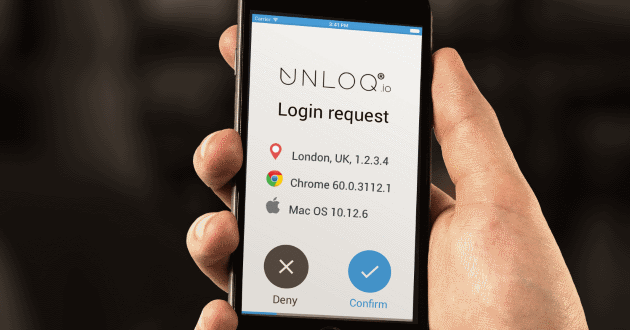
The new UNLOQ two factor authentication plugin protects WordPress websites from credential-related risks by increasing the security of user logins through 3 secure authentication methods, custom login URL, multi-site SSO and role-based 2FA enforcement. Free under 100 users, it features 60 seconds setup and login page customisation.

We all know that adding SSL to your store makes it more secure for your customers to conduct transactions. In fact, many payment processors actually require that you have SSL installed on your hosting.
Often people just apply SSL to their cart and checkout pages, and although that satisfies the
Can you imagine if your entire WordPress website were to suddenly crash and fail, taking all of your hard work – posts, pages, and custom designs – with it?
Me either.
Sometimes installing a new plugin or theme can cause your site to crash. Other times, a website hacker may

Many people who sell online say that the main tool that keeps their sites relevant is the audit. They’re right because it identifies issues with the website and offers ways to resolve them. By issues, I don’t mean only technical errors but also sales opportunities!
In other words, a website
In this post, we’ll walk you through a step by step tutorial of installing free SSL certificates on your WordPress site with Let’s Encrypt’s automated installation.
With large scale cyber attacks happening more often than anyone would like to admit, you might think to yourself that the chances your small WordPress website will be hacked are slim to none. After all, who would hack your website when there are so many bigger and better sites to
CleanTalk has released some new features since WPMayor’s original review. One particularly interesting feature is the SpamFireWall. For this review I took SpamFireWall for a spin. Here are my thoughts on using it and the benefits it can offer.

Though many companies claim to be the top dog when it comes to providing security, support, and speed to its customers, the truth is many fail to make good on their promises. And for the unknowing WordPress site owner, this can result in wasted time and money, let alone frustration.

You have an online store. You want to sell more on it. (If you don’t have an online store, or if, for some reason, you want to sell less, this isn’t the post you’re looking for. Move along, please.) There are two main ways to do this: get more traffic,
Protecting your WordPress site from hackers can be rather difficult. In fact, there is no one-solution that guarantees a 100% safe and secure site.
Studies show that tens of thousands of websites are hacked daily. Although securing your own site and the data it holds is top priority, it’s also
Security is one of the hottest topics in WordPress at the moment, and it has been for a while now. There have always been concerns with security in the WordPress world, and that’s where some of the best security plugins have come in to put people’s minds at rest. Although